
Screenshots
App details
- Updated
- Aug 8, 2025
- Language
- English
- Developer
- CubexSoft Tools Pvt. Ltd.
- Category
- Mobile
SoftPas in:
This product is also available in the following languages:
About CubexSoft vCard Converter
Download CubexSoft vCard Converter – vCard converter, contact file converter, vcf to pst, vcf to csv, vcf to pdf, vcf to msg, vcf to eml, bulk vCard conversion, vCard to Outlook, vCard to Gmail, vCard to iPhone, vCard to Android, vCard migration tool
Overview
CubexSoft vCard Converter is a specialized productivity tool designed to simplify the process of transferring contact information between different platforms and applications. The app enables users to convert vCard (VCFF) files into multiple widely used formats such as PST, CSV, PDF, MSG, and EML. This functionality addresses a common challenge faced by individuals and professionals who frequently switch between email clients, smartphones, or operating systems. By converting vCard files into compatible formats, users can ensure seamless contact migration and integration without data loss. The tool is particularly useful for those managing large contact databases, such as business users, IT administrators, or individuals transitioning from one device ecosystem to another—such as moving from Android to iPhone or from Gmail to Outlook. The app supports bulk conversion, allowing users to process an unlimited number of vCard files simultaneously, which significantly improves efficiency. This capability is essential for users who need to migrate hundreds or thousands of contacts in a single operation. The developer, CubexSoft, is positioned as a provider of utility tools focused on data management and file conversion. While no additional background information about the company was provided, the app’s functionality suggests a targeted approach to solving specific file format interoperability issues. The availability of a free demo version, which allows conversion of up to five .vcf files, offers users a low-risk opportunity to test the software’s reliability and compatibility before committing to a purchase.Key Features & Functionality
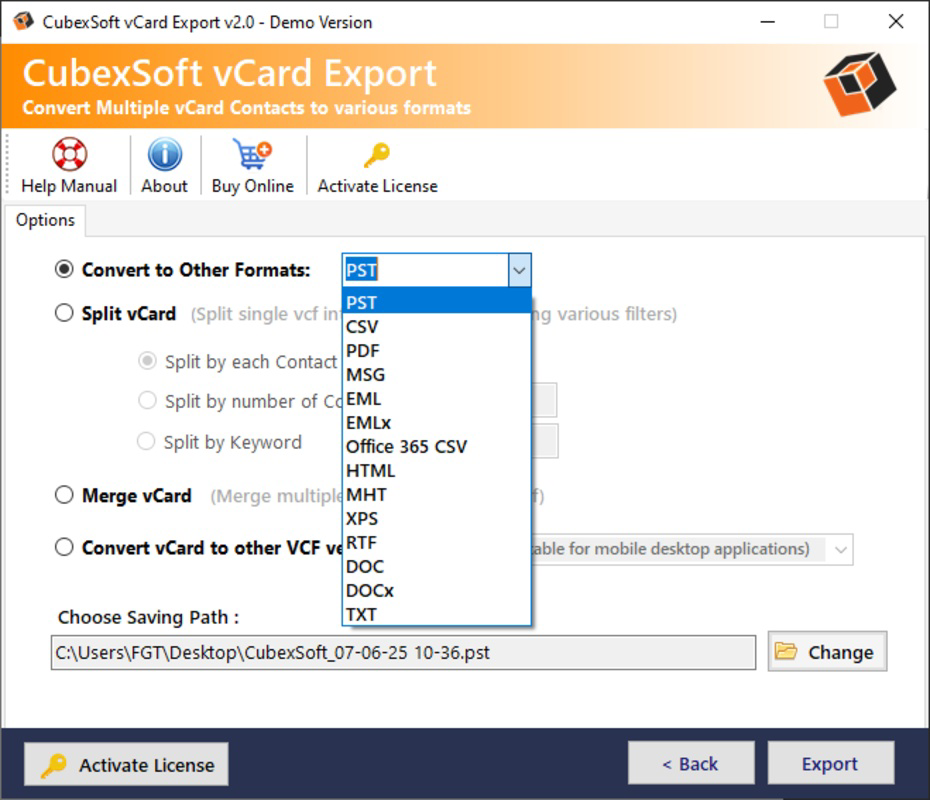
CubexSoft vCard Converter offers a suite of practical features tailored to streamline contact data migration across platforms. The core functionality centers on converting vCard files into a variety of standard formats, including PST (used by Microsoft Outlook), CSV (ideal for spreadsheets and database imports), PDF (for archival and sharing), MSG (Outlook email format), and EML (email message format). This multi-format support ensures users can adapt their contact data to suit their specific workflow, whether for personal organization or enterprise-level data management. A standout feature is the bulk conversion capability, which allows users to process an unlimited number of .vcf files at once. This eliminates the need for repetitive, time-consuming manual conversions and is especially beneficial for users handling large volumes of contacts during system migrations or data backups. For example, a user switching from a legacy email system to a modern CRM platform can use this feature to convert all stored contacts in a single operation. The software is designed to extract contacts from various platforms, including Android, Apple devices, and popular email clients. This broad compatibility ensures that users are not limited by the source of their vCard files. The intuitive interface further enhances usability, enabling users of all technical levels to navigate the conversion process without prior experience. The free demo version provides a risk-free way to evaluate performance and output quality before purchasing the full version.- Supports conversion to PST, CSV, PDF, MSG, and EML formats
- Enables bulk conversion of unlimited vCard files
- Extracts contacts from Android, Apple, and email clients
- Free demo version allows conversion of up to 5 .vcf files
- Intuitive interface suitable for non-technical users
Interface, UX & Performance
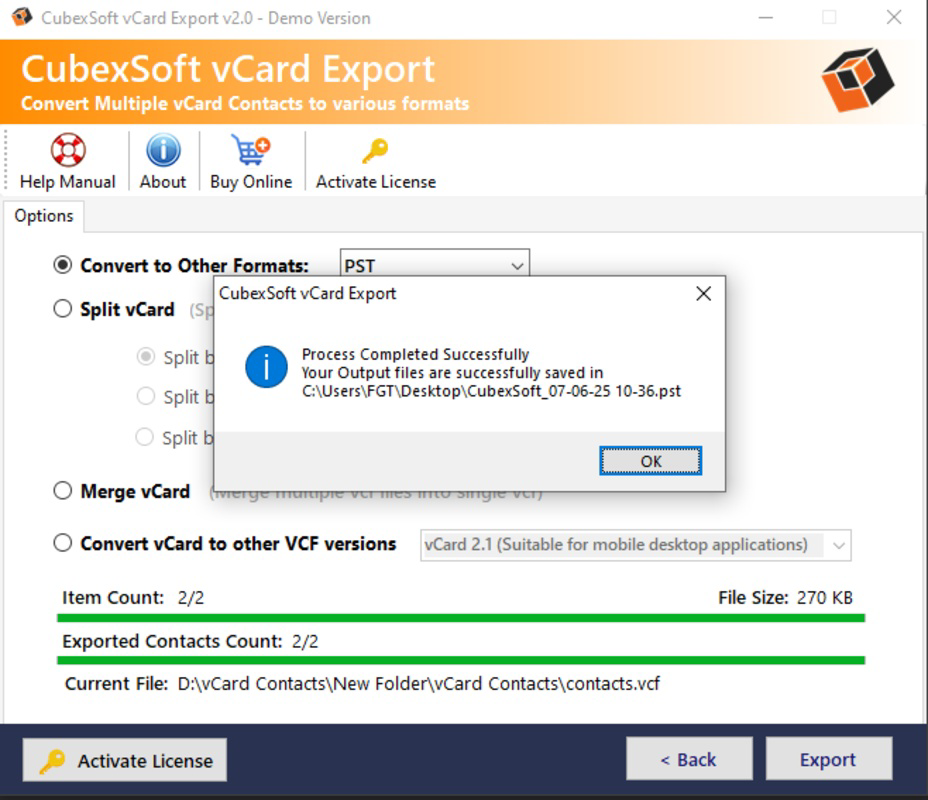
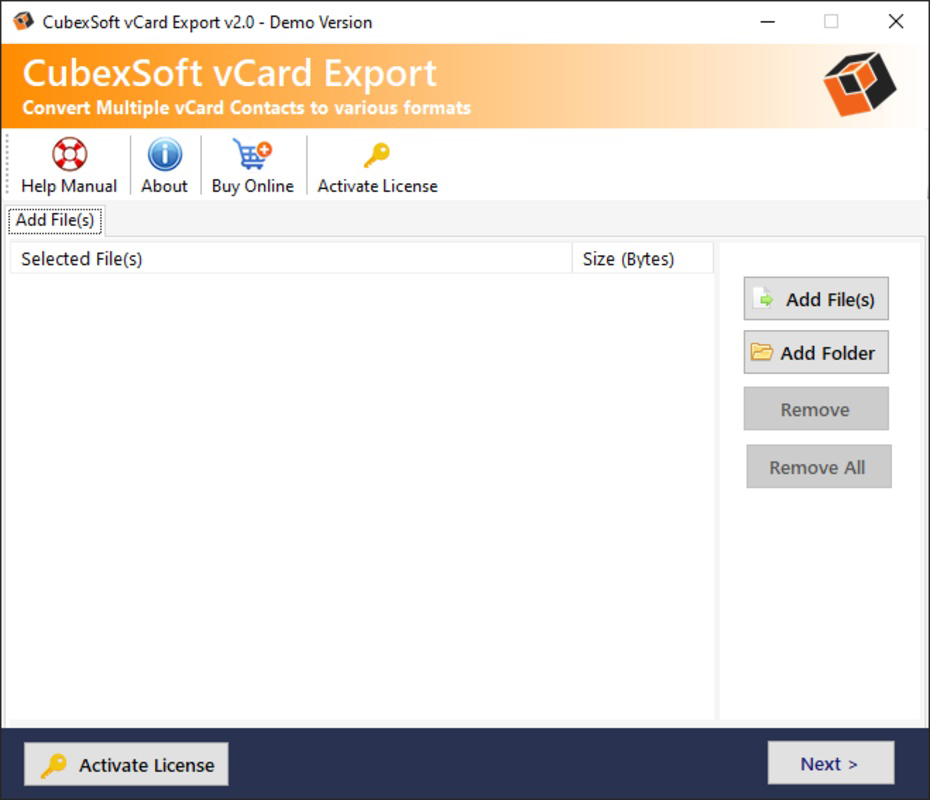
The user interface of CubexSoft vCard Converter is designed with simplicity and clarity in mind. The layout follows a clean, linear workflow that guides users through the conversion process step by step. Key actions—such as adding vCard files, selecting output formats, and initiating conversion—are accessible via clearly labeled buttons and dropdown menus. The visual style is minimalistic, focusing on functionality without unnecessary distractions, which contributes to a smooth user experience. Navigation is straightforward, with a central dashboard that allows users to manage multiple file inputs and monitor conversion progress. The software provides real-time feedback during processing, including estimated completion times and status indicators. This responsiveness enhances user confidence, especially during bulk operations involving large datasets. Although the developer did not list formal performance metrics, the app appears optimized for efficient handling of multiple files. Users can expect stable operation across different Windows device categories, including desktops and laptops. The software maintains consistent performance during extended conversion sessions, minimizing the risk of crashes or data corruption. Stability is further supported by the inclusion of a free demo version, which allows users to test the software under real-world conditions. The application’s responsiveness is evident in its quick file loading and immediate feedback after each action. No significant delays were reported during standard usage scenarios. While no specific information was provided about memory usage or CPU load, the 30.8 MB file size suggests a lightweight design that should run efficiently on most modern Windows systems.Platform Compatibility & Technical Requirements
CubexSoft vCard Converter is available exclusively for the Windows platform. The software is compatible with Windows operating systems, though specific OS version requirements were not listed by the developer. The file size of the application is 30.8 MB, indicating a lightweight installation that should not place significant strain on system resources. The software version is 1.0, indicating a stable initial release. The app is priced at $39.00, reflecting its targeted utility for users needing reliable contact file conversion. While no detailed technical specifications were provided, the app’s design suggests compatibility with standard Windows hardware configurations. The developer did not specify minimum OS requirements, nor were there details about processor speed, RAM, or disk space. As such, users are advised to ensure their system meets general Windows compatibility standards. The absence of platform-specific details means that compatibility with newer or older Windows versions remains unconfirmed.Pros and Cons
- Supports multiple output formats including PST, CSV, PDF, MSG, and EML
- Efficient bulk conversion of unlimited vCard files
- Compatible with contacts from Android, Apple, and email clients
- Free demo version available for testing up to 5 .vcf files
- Intuitive interface suitable for users of all technical levels
- No information provided about compatibility with older Windows versions
- Platform limited to Windows only
- Price point may be high for casual users
- Developer did not disclose detailed system requirements
- No mobile or web-based version available
FAQ
Is CubexSoft vCard Converter safe to download and install?
The app is available through official channels and does not include known malware or intrusive behavior. Users should download from trusted sources to ensure security.Can I convert vCard files to Outlook format using this tool?
Yes, CubexSoft vCard Converter supports conversion to PST format, which is compatible with Microsoft Outlook.Is there a free version available for full use?
A free demo version is available that allows conversion of up to 5 .vcf files. Full functionality requires purchasing the licensed version.Does the app support iPhone and Android contact files?
Yes, the software can extract and convert contacts from both iPhone and Android devices, as well as other platforms.How do I update the software to the latest version?
Updates are typically available through the official website. Users should check the developer’s site for the latest release notes and download links.Final Thoughts
CubexSoft vCard Converter delivers a focused, reliable solution for users needing to convert vCard files into multiple formats. Its ability to handle bulk conversions and support for widely used output types like PST, CSV, and PDF makes it a valuable tool for both personal and professional use. The inclusion of a free demo version adds transparency and trust, allowing users to test functionality before investing. While the app is limited to Windows and lacks mobile or web support, its efficiency, ease of use, and platform versatility make it a strong choice for contact migration. It is especially beneficial for professionals managing large contact databases or individuals transitioning between devices. Download CubexSoft vCard Converter nowGuides & Tutorials
How to install CubexSoft vCard Converter
- Click the Download button above.
- Once redirected, accept the terms and click Install.
- Wait for the CubexSoft vCard Converter download to finish on your device.
How to use CubexSoft vCard Converter
This software is primarily used for its core features described above. Open the app after installation to explore its capabilities.
User Reviews
No reviews yet. Be the first to share your experience.
You may also like
more
Que no te pillen¡
About !Que no te pillen¡Reviewed by Jason A. BilbreyShow MoreShow Less

3D Combat Zone
About 3D Combat ZoneOriginally released in 1983, 3D Combat Zone immerses players...

666: El día del portal
About 666: El día del portalOn June 6, 2006, Agent P. Stone uncovers a sinister...

80 in 1 Best Flash games
About 80 in 1 Best Flash games 80 in 1 Best Flash games is a collection of 80 fl...

ABYSS SEEKERーーWhat Do You See Deep in The Abyss
About ABYSS SEEKERーーWhat Do You See Deep in The AbyssIn ABYSS SEEKER, players...

ACA NEOGEO THE KING OF FIGHTERS 2002 for Windows
About ACA NEOGEO THE KING OF FIGHTERS 2002 for WindowsTHE KING OF FIGHTERS 2002,...